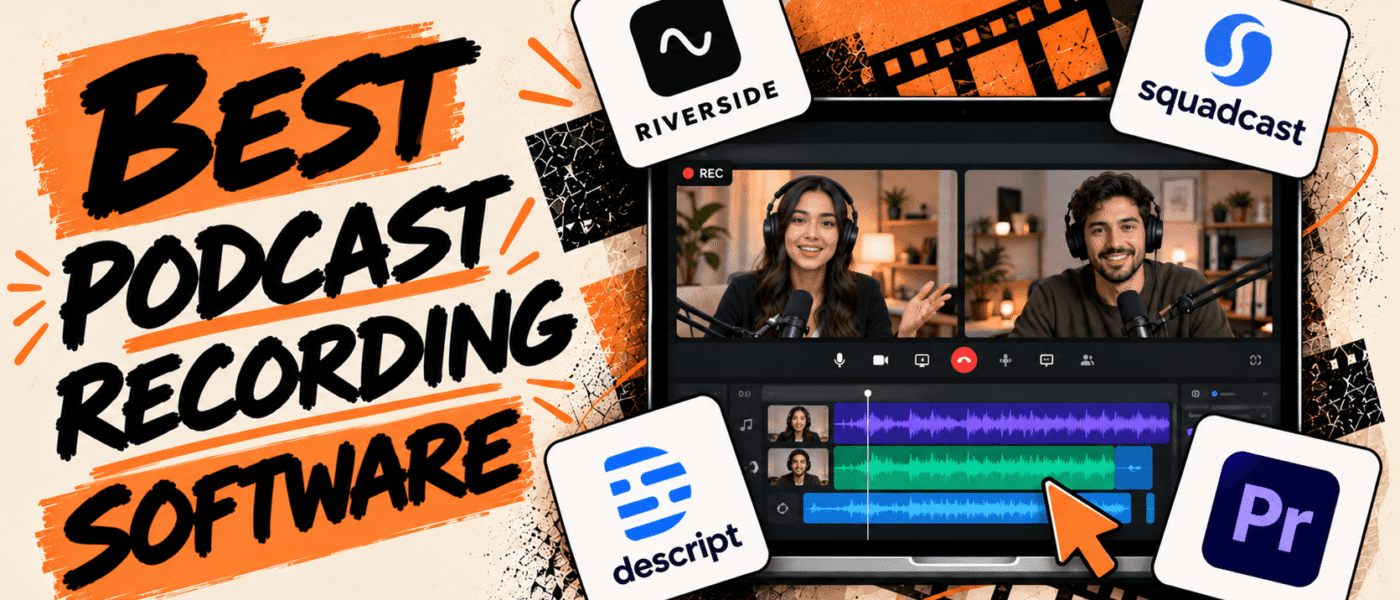

A great podcast often starts with a good conversation, but capturing it in a way that sounds clear and professional takes the right recording setup.
Podcast recording software helps you record, edit, and produce episodes without needing a professional studio. You can use it to record solo episodes, bring in remote guests, or record video podcasts, depending on the format you want to create.
The best podcast recording software depends on your recording setup and production needs. Audio quality, remote recording, multitrack support, video capabilities, editing features, and ease of use are all worth considering before choosing a tool.
In this guide, we’ve rounded up the best podcast recording software to help you find the right fit.
Best Podcast Recording Software
Here’s a look at the top podcast recording software, their key features, and capabilities to help you find the right fit for your podcasting workflow:
1. Riverside
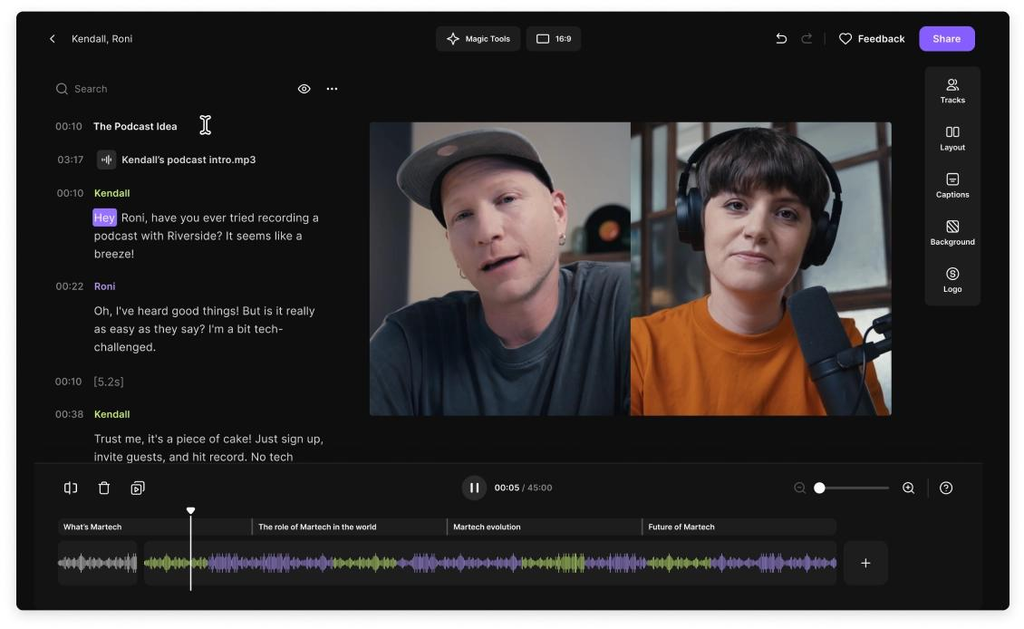
Riverside is a remote recording platform designed for podcasters, interviewers, and content creators who want studio-quality recordings without being in the same physical location. It records each participant’s audio and video locally, creating separate high-quality tracks that can be edited independently. Its browser-based recording studio makes it easy to invite guests, manage recording sessions, and capture professional-quality content. With built-in editing, transcription, and AI-powered audio enhancement, Riverside is a convenient solution for creators who want to handle recording and post-production in one place.
Riverside Best Features
- High-quality audio and video recording
- Separate audio and video tracks for each participant
- Local recording with cloud backups
- Browser-based remote recording studio
- Up to 4K video recording
- Automatic transcription and captions
- AI-powered audio enhancement and noise reduction
- Built-in video editing and clip creation
Riverside Pricing
- Free trial: 14 days
- Pro: $24/month, billed annually
- Grow: $34/month, billed annually
- Webinar: $79/month, billed annually
- Business: Custom pricing.
2. SquadCast
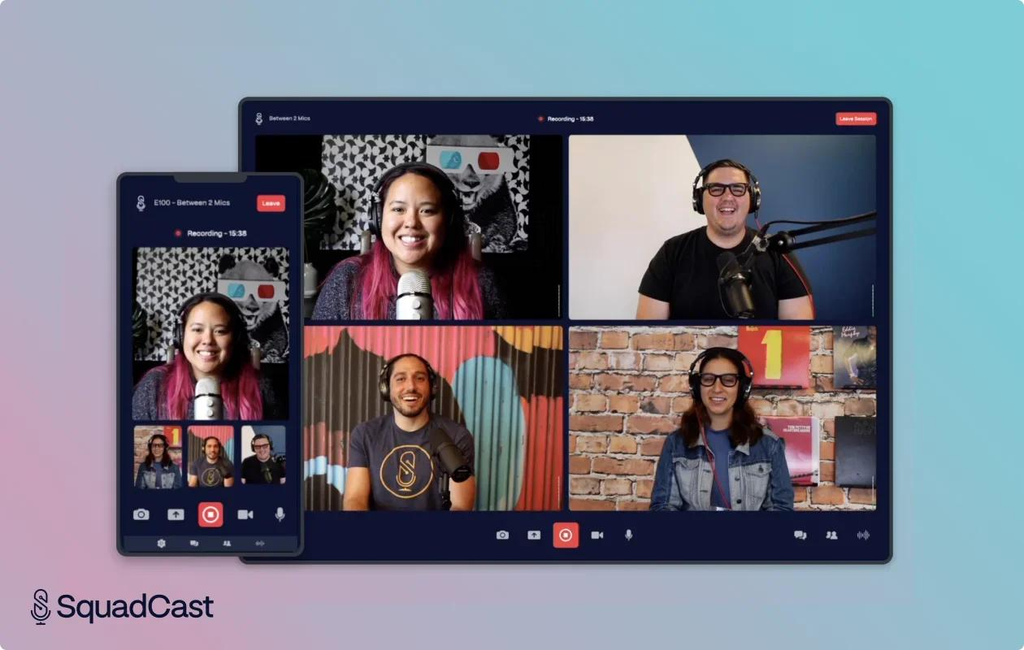
SquadCast is a remote recording platform engineered specifically for professional podcast interviews, solving the common audio-quality issues tied to unstable internet connections. Instead of relying on a compressed video call stream, it records uncompressed audio and video locally on each participant’s device. To protect against data loss from unexpected crashes or connection drops, the platform utilizes progressive uploading and automatic cloud backups in real time. SquadCast is a useful option for podcasters who want reliable remote interviews and streamlined post-production.
SquadCast Best Features
- High-quality remote podcast recording
- Separate audio and video tracks
- Local recording for individual participants
- Multitrack audio recording
- Video and screen recording
- Automatic transcription
- Integration with Descript’s editing workflow
- Cloud backups and recording management
SquadCast Pricing
- SquadCast recording is available through Descript plans.
- Free: $0/month
- Hobbyist: $16/month per person
- Creator: $24/month per person
- Business: $50/month per person
3. Descript
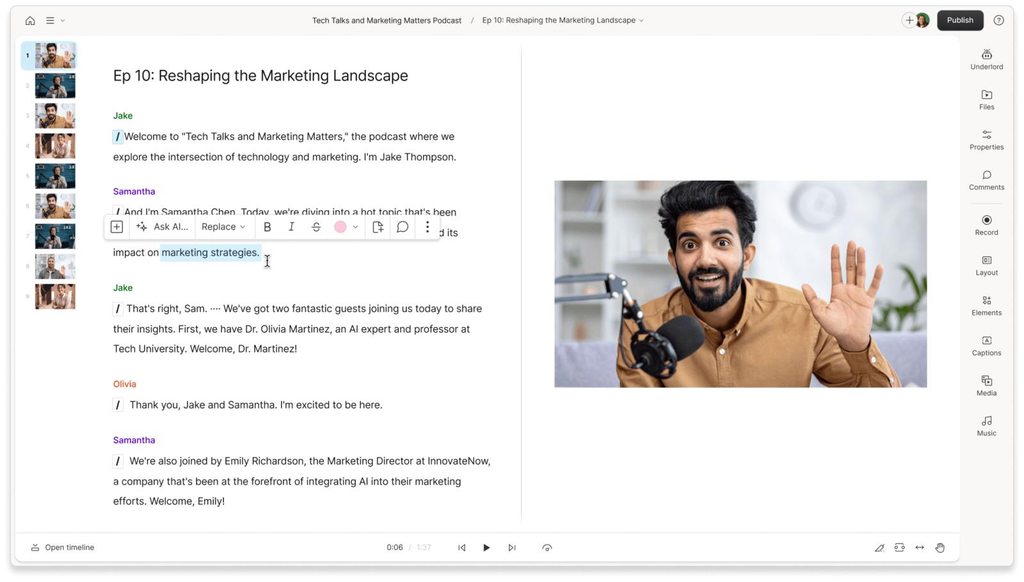
Descript combines podcast recording, audio editing, and video production in one platform. Its standout feature is transcript-based editing, which allows creators to edit recordings by simply changing the automatically generated text transcript. Instead of manually navigating a traditional editing timeline, users can remove unwanted words, eliminate pauses, and rearrange conversations by editing the text. Descript also offers remote recording, screen recording, AI-powered audio enhancement, and automatic transcription to simplify recording and editing for podcasters.
Descript Best Features
- Transcript-based audio and video editing
- Remote podcast recording
- Automatic transcription and captions
- Multitrack audio editing
- AI-powered noise reduction and audio enhancement
- Filler-word and silence removal
- Screen and webcam recording
- AI-powered clip creation and content repurposing
Descript Pricing
- Starts at $0/month with the Free plan
- Hobbyist: $16/month, billed annually
- Creator: $24/month, billed annually
- Business: $50/month, billed annually
- Enterprise: Custom pricing
4. Adobe Audition
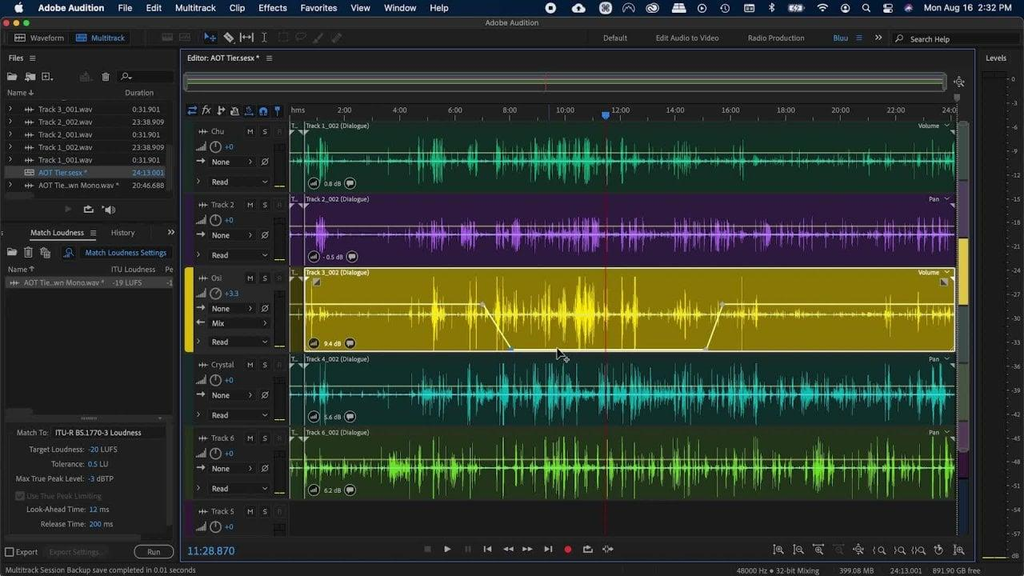
Adobe Audition is a professional audio recording and editing software designed for creators who need greater control over their podcast production. Its comprehensive set of tools includes multitrack recording, waveform editing, spectral analysis, noise reduction, and audio restoration. Podcasters can record multiple audio sources, fine-tune individual tracks, remove unwanted background sounds, and mix recordings to achieve a polished final result. Experienced podcasters and production teams focused on top-tier sound will find that Adobe Audition delivers broadcast-quality results through its advanced processing and precise editing controls.
Adobe Audition Best Features
- Multitrack audio recording and editing
- Waveform and spectral editing
- Advanced noise reduction and audio cleanup
- Audio restoration and repair tools
- Professional mixing and mastering controls
- Effects, equalizers, and audio filters
- Batch audio processing
- Support for multiple audio formats
Adobe Audition Pricing
- 7-day free trial available
- Single App Plan: $22.99 USD per month, billed annually
- Creative Cloud All Apps Plan: Around $59.99 to $79.49 USD per month, billed annually
5. Audacity
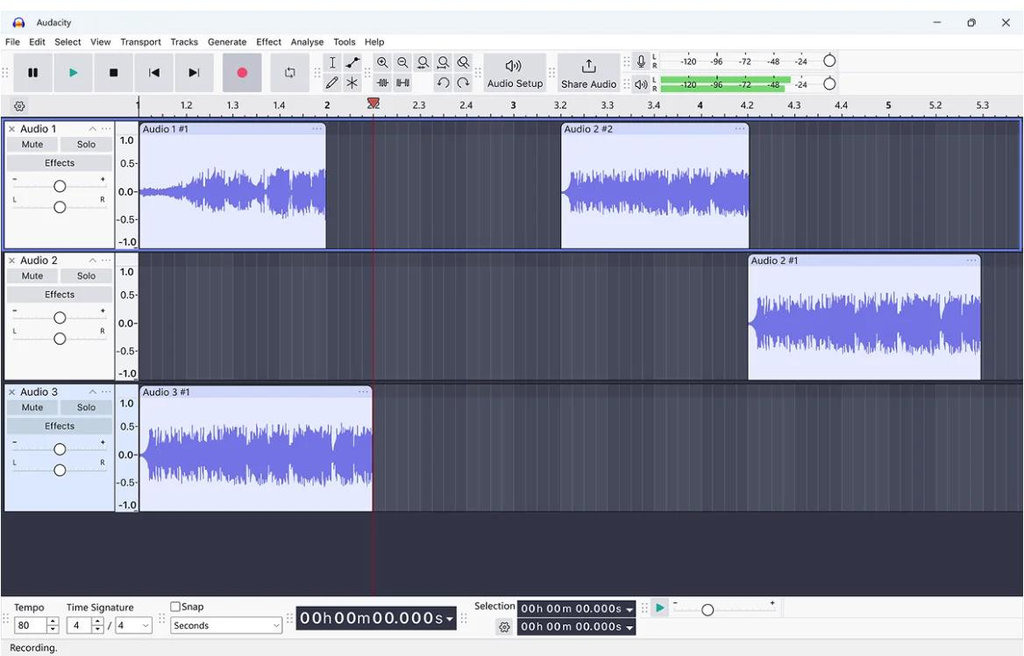
Audacity is a free, open-source audio recording and editing software that provides essential production tools without requiring a paid subscription. It allows podcasters to record directly through a microphone or audio interface, edit multiple tracks, remove unwanted noise, and apply audio effects to improve recording quality. Its straightforward interface makes it accessible to beginners, while its advanced editing capabilities and plugin support offer additional flexibility for experienced creators. Audacity is a great pick for solo podcasters and independent creators who want reliable audio recording and editing without investing in expensive software.
Audacity Best Features
- Free and open-source audio recording
- Multitrack audio recording and editing
- Noise reduction and background sound removal
- Audio effects, equalizers, and filters
- Pitch and tempo adjustment
- Support for multiple audio formats
- Third-party plugin support
- Audio waveform and spectrogram visualization
Audacity Pricing
- Starts at $0/month.
- Audacity is free to download and use.
6. GarageBand
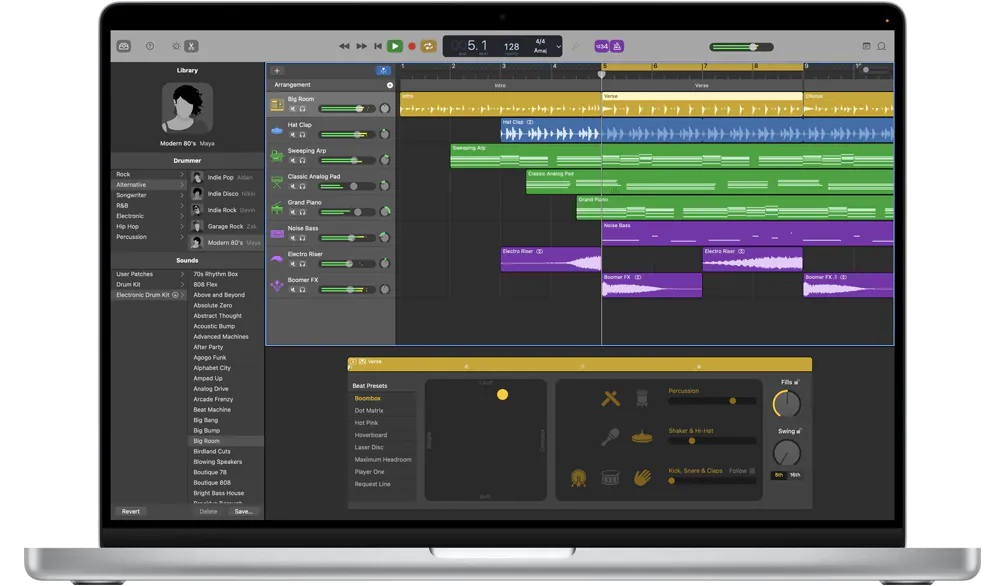
GarageBand is Apple’s beginner-friendly audio production software that provides an accessible way to record, edit, and mix podcast episodes. Although primarily designed for music production, its multitrack recording capabilities, audio effects, and intuitive editing tools make it suitable for solo podcasts and basic audio productions. Creators can connect microphones, record multiple takes, adjust individual audio tracks, and enhance recordings with built-in effects such as equalization and compression. Its simple interface and extensive sound library also make it a useful starting point for beginners who want to experiment with podcast intros, background music, and voice recordings.
GarageBand Best Features
- Multitrack audio recording and editing
- Simple and beginner-friendly interface
- Microphone and audio interface support
- Multiple recording takes
- Built-in audio effects and plugins
- Equalization and compression tools
- Sound library with loops and virtual instruments
- Audio mixing and exporting capabilities
GarageBand Pricing
- Starts at $0/month.
- GarageBand is free for compatible Apple devices.
7. Zencastr
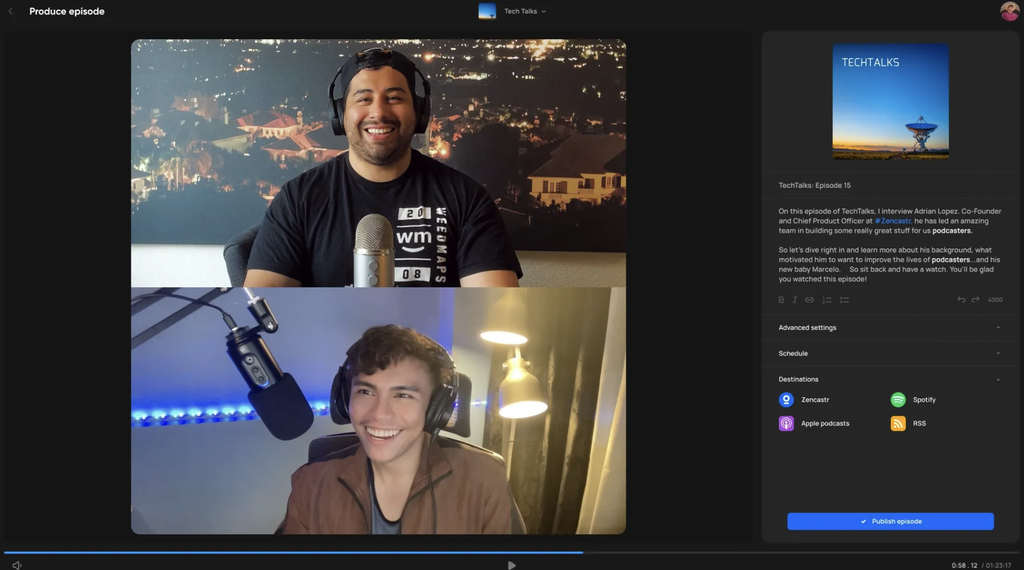
Zencastr is a web-based podcast recording platform that provides studio-quality remote interviews by recording separate uncompressed audio and video tracks locally on each participant’s device. Originally known for its reliable audio recording, the platform has expanded into an all-in-one suite that includes automated post-production features like voice-to-text transcription, post-processing mixing, and live video capabilities. It is well-suited for podcasters looking for an intuitive, browser-based solution to record professional-grade remote content without requiring guests to install external software.
Zencastr Best Features
- Remote podcast recording with guests
- Separate local audio tracks for each participant
- High-quality WAV audio recording
- Audio and video recording support
- Automatic cloud backups
- Up to 4K video recording
- Multitrack editing and audio processing
- Integration with podcast production and publishing workflows
Zencastr Pricing
- Starts at $0/month with the Free plan (Vibecastr)
- Enterprise: Custom pricing
Conclusion
Podcast recording software varies in its recording capabilities, editing features, and overall production workflows. Some platforms focus on remote guest recording, while others offer advanced audio editing tools or simple recording environments for beginners.
Choosing the right podcast recording software ultimately comes down to your format, workflow, and production needs. Consider factors such as audio quality, remote guest recording, multitrack support, video capabilities, editing tools, and ease of use to find a platform that fits your podcasting workflow.